How to Create an AI Agent
Create a Pilotbot pricing strategy by chatting with an AI agent — describe your goal in plain language, review its proposal, and approve it.
Pilotbot Team
Author
On this page

Intelligence in Action: Creating a Personal AI Agent in Pilotbot
Forget about tedious spread calculations in Excel, endless tables with dozens of obscure switches, and sleepless nights glued to the order book. In Pilotbot, setting up a trading strategy is just like delegating a task to an experienced senior trader — in plain human language.
You simply state your desired financial outcome, and the neural network agent instantly translates your words into mathematically sound pricing algorithms, sets limits, and handles the day-to-day grind for you.
Prerequisites Before Launch
Before delegating ad management to the agent, ensure two basic prerequisites are met:
- Exchange is connected to Pilotbot. Confirm your API keys are added and you have at least one active ad on the exchange. If you haven't connected an exchange yet, follow the exchange connection guide.
- Subscription plan supporting autonomy. Full autonomous AI agents that update quotations 24/7 on autopilot are available on the Pro plan and above. On entry-level plans, the agent chat is available in smart advisor mode: it analyzes the market and suggests optimal parameters, but updates require manual approval.
Step 1. Open the Chat with the AI Agent
From the main dashboard navigation, head over to the AI Agent section. The intelligent mission control center will open — the place where your strategy takes form.
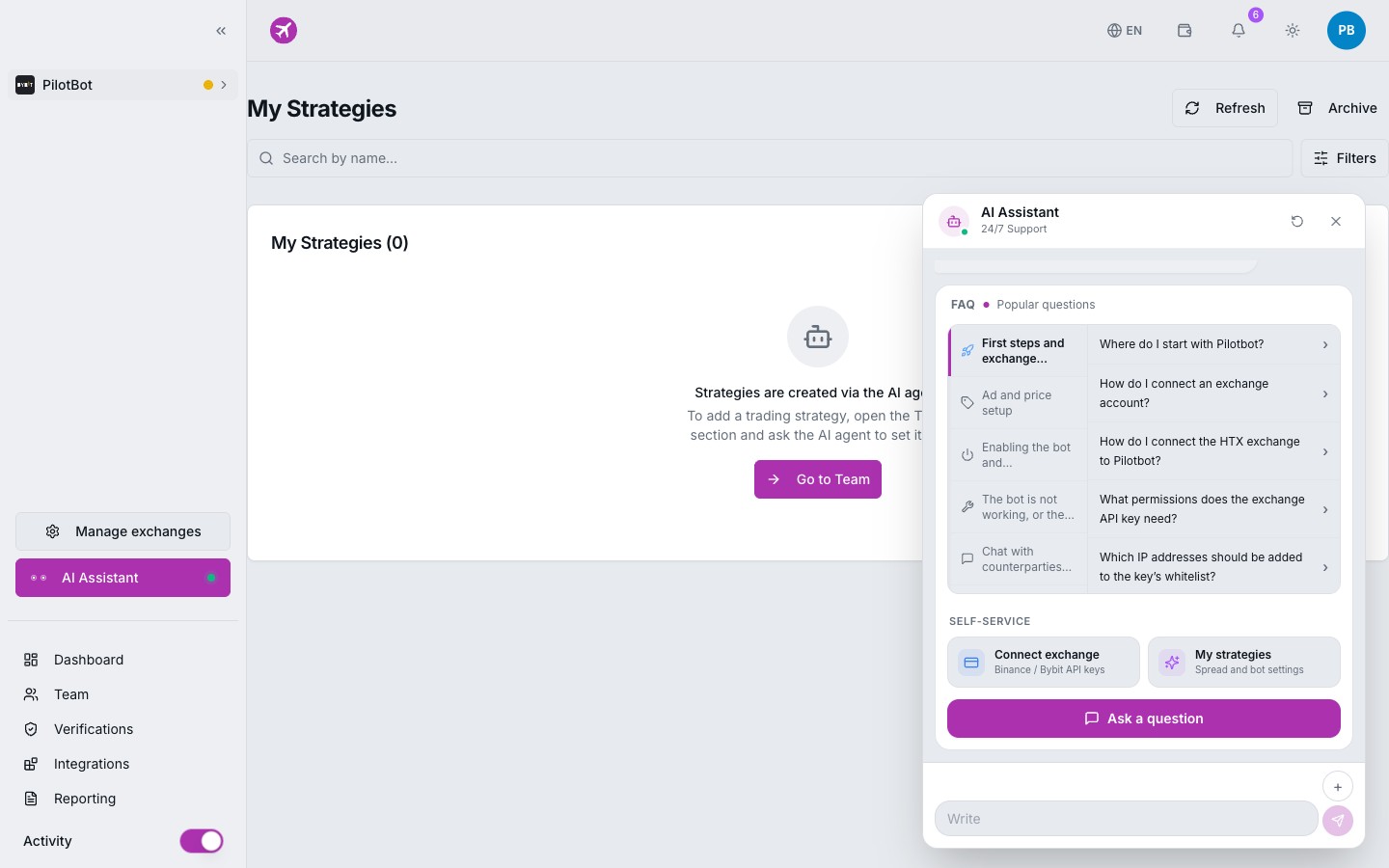
The interface is engineered so that you see real-time market conditions, active ads, and conversation history all on a single screen. No buried submenus — full control is centered within the live dialogue.
Step 2. Describe Your Goal in Plain Language
Communicate with the agent just as you would with a trusted colleague. The more precisely you articulate your profit margins and risk boundaries, the more expertly the agent tunes the pricing engine formula.
Examples of Effective Prompts
-
Dominating the Top of the Book:
“Keep my USDT sell ad against RUB in the top 3 makers, undercut competitors by 0.01 rubles, but under no circumstances drop below 92.40.”
-
Tracking the Leader:
“Follow the leading buy ad with a 0.05% offset while maintaining a minimum spread of 1.2%. If counterparty volume is under 50,000 RUB, ignore their position.”
-
Volatility Defense:
“If the market spread narrows below 0.5% or Bitcoin experiences sharp volatility, temporarily unpublish the ad rather than participating in a price war.”
Step 3. Review the Agent's Proposal
Upon receiving your prompt, the AI agent doesn't blindly trigger trading. It executes in-depth analytics:
- Selects an appropriate foundational strategy preset (Spread, Undercut, Target Rank, or Defensive).
- Calculates outbid step sizes, allowable spreads, and competitor filtering rules.
- Formulates a comprehensive summary explaining each parameter: why a specific offset was chosen and how the system safeguards your balance.
Every new strategy is initialized in the “Draft” state and transitions into “Pending Approval” mode. Until you personally confirm, the bot will not alter a single price point on the exchange.
Step 4. Approve with a Single Click
Once you have verified that all financial boundaries and goals are properly configured, click Approve Strategy.
From that moment, the strategy transitions to “Active”:
- Pilotbot's high-performance pricing worker establishes real-time synchronization with the P2P order book.
- Every few seconds, the engine scans competitor updates and recalculates your quotes instantly.
- Your ads hold the exact positions that capture maximum trade volume without sacrificing margin.
At any point, you can pause, resume, or completely reconfigure the strategy in just a couple of clicks.
Fine-Tuning On the Fly: Adjusting Rules in Flight
Crypto markets evolve rapidly, and your strategy should stay equally adaptable. To adjust an active agent's parameters, you do not need to halt trading and rebuild from scratch.
Simply message the agent in chat with your updated requirements:
- “The market picked up pace, let's trade more aggressively — move up to 1st place.”
- “Raise the minimum sell price to 93.10 — not willing to sell cheaper.”
- “Pause trading for 2 hours while I'm away from my terminal.”
The agent recalculates the parameters instantly, presents the updated model, and applies the changes live upon your approval.