Payment and Refunds
How Pilotbot billing works via direct cryptocurrency and balance, understanding the billing cycle, and refund procedures.
Pilotbot Team
Author
On this page

Transparent Billing and Security: Everything About Payments and Refunds in Pilotbot
Pilotbot builds institutional-grade trading infrastructure not only for P2P algorithms, but also for trader financial security. Subscription management, payment processing, and transparent accounting are structured so you can concentrate entirely on market execution and spread profitability rather than billing administration.
All subscription transactions and tier management in Pilotbot are automated through direct cryptocurrency settlement and platform balance. This guarantees maximum transaction speed, complete independence from banking restrictions, and instantaneous limit provisioning.
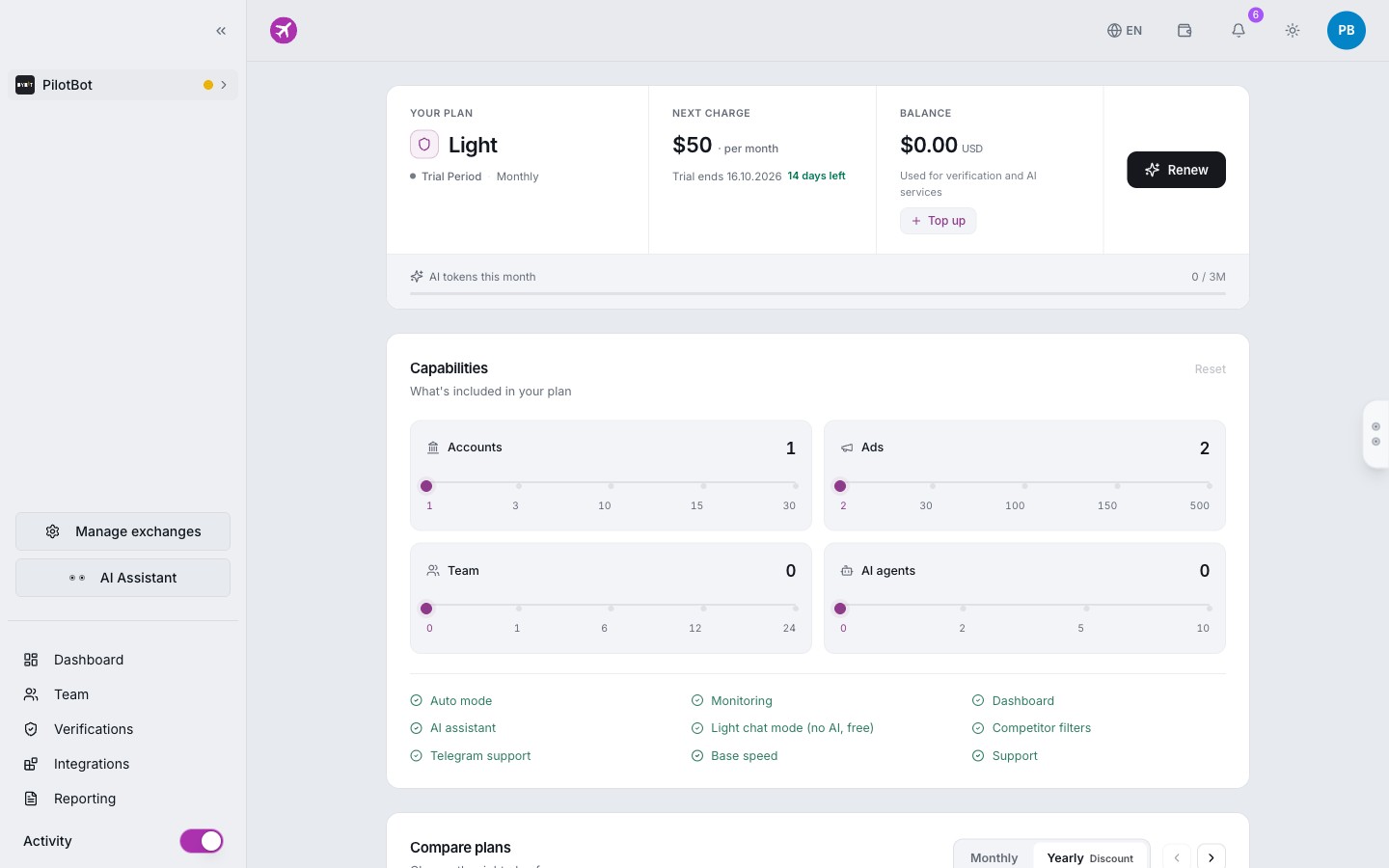
Direct Settlement Architecture: Absolute Security & Speed
Pilotbot adheres to a strict zero-trust policy regarding capital security and personal financial information. We intentionally built our billing upon blockchain settlement:
- Zero Banking Friction: Pilotbot never asks for credit card numbers, bank accounts, or CVVs. You are completely protected from unexpected bank charges, card declines, or cross-border payment fees.
- Popular Chains and Stablecoins: Payments are accepted in USDT across the fastest and most cost-effective networks — TRC-20, BEP-20, Polygon, Arbitrum, and others.
- Instant On-Chain Activation: The moment your transaction receives 1 confirmation on the blockchain, the system credits your account and activates your selected tier within seconds. Your trading limits, AI agent slots, and accelerated polling intervals activate without delay.
Step-by-Step Payment Process
Subscribing takes less than two minutes across three transparent steps:
- Choose Your Subscription Plan: In your dashboard, navigate to Billing or review the feature breakdown in Plans and Limits. Select the plan matched to your business scale — from Light for solo merchants up to Pro, Elite, and Ultra for professional trading desks.
- Select Your Payment Method:
- Direct Cryptocurrency: Select your preferred network (such as USDT TRC-20 or BEP-20). The system generates a dedicated deposit address and QR code for the exact amount.
- Platform Balance: If you already have funds in your internal platform balance, activate your plan instantly with a single click.
- Instant Activation: Immediately upon transaction confirmation on-chain, your account status updates and expanded limits unlock automatically.
Billing Cycles and Strategy Continuity
Pilotbot offers two billing cycles: 30-day (monthly) and 365-day (annual with up to 17% savings).
- Fixed Interval: Access to tier capabilities is granted for the exact paid duration starting from the moment of transaction confirmation.
- Trading Continuity: To ensure your listings never forfeit top positions in the order book due to an unexpected plan lapse, keep your internal balance topped up — the system will automatically renew your tier at the cycle boundary.
- Total Visibility: You retain full control over your billing. Complete payment history, renewal dates, and active tier specifications are displayed directly in the Billing section.
Managing Your Billing in the Dashboard
All aspects of billing are centralized within the Billing section:
- Top Up Balance: Deposit USDT at any time for quick tier upgrades or additional add-on features.
- Transaction History: Access a detailed ledger of all deposits, subscription charges, and adjustments with transparent statuses and transaction hashes (TxID).
- Plan Upgrades: Upgrade your tier at any time. For details, see Changing Your Plan.
Transparent Refund Policy and Procedure
We stand behind the reliability of Pilotbot's trading tools. However, if you encounter unforeseen technical roadblocks or have an eligible inquiry, our refund procedure is clear, straightforward, and direct.
Step-by-Step Refund Request
- Contact Pilotbot Support:
Reach out through the in-app support widget, official Telegram support desk, or email us at
[email protected]. - Provide Transaction Details: Include the email address associated with your Pilotbot account along with the transaction hash (TxID) or payment date from your Billing section.
- Briefly Describe the Situation: Explain what prompted your request — this helps us rapidly review your ticket and resolve any technical issues.
- Fund Settlement: Upon authorization, funds are returned directly to your verified crypto address or credited to your platform balance.